Darren
15 / 15 videos · Certificate issued
Completed
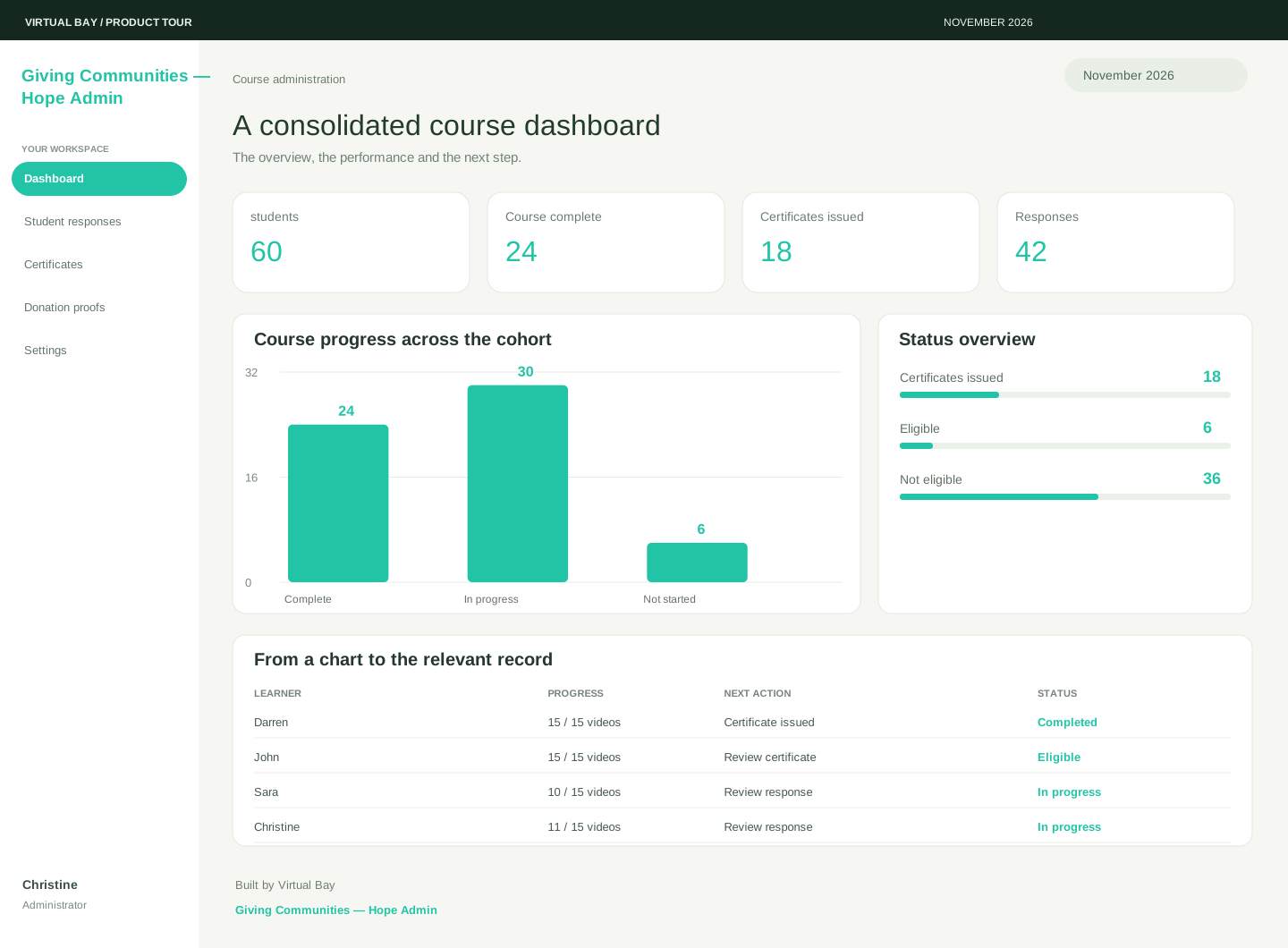
Course administration
A course-administration workspace connecting video lessons, quizzes, student progress, certificates and survey-led counsellor follow-up.
The business need
When lessons, quiz responses and certificates sit in different places, it is difficult to tell whether a child is progressing or needs someone to check in. The team also needs to manage donations without allowing that administrative work to distract from the learning and support each child receives.
The Hope Admin workspace connects video lessons to quizzes and progress records, with a clear route from completed learning to a certificate. Staff can review survey responses and bring concerns to an authorised counsellor, while donation records remain a separate part of the same administration workspace.
The whole picture
Start with the overview, then open a section to follow the work and the people behind it.
Performance in focus
Students · 60 records · 597 of 900 videos completed
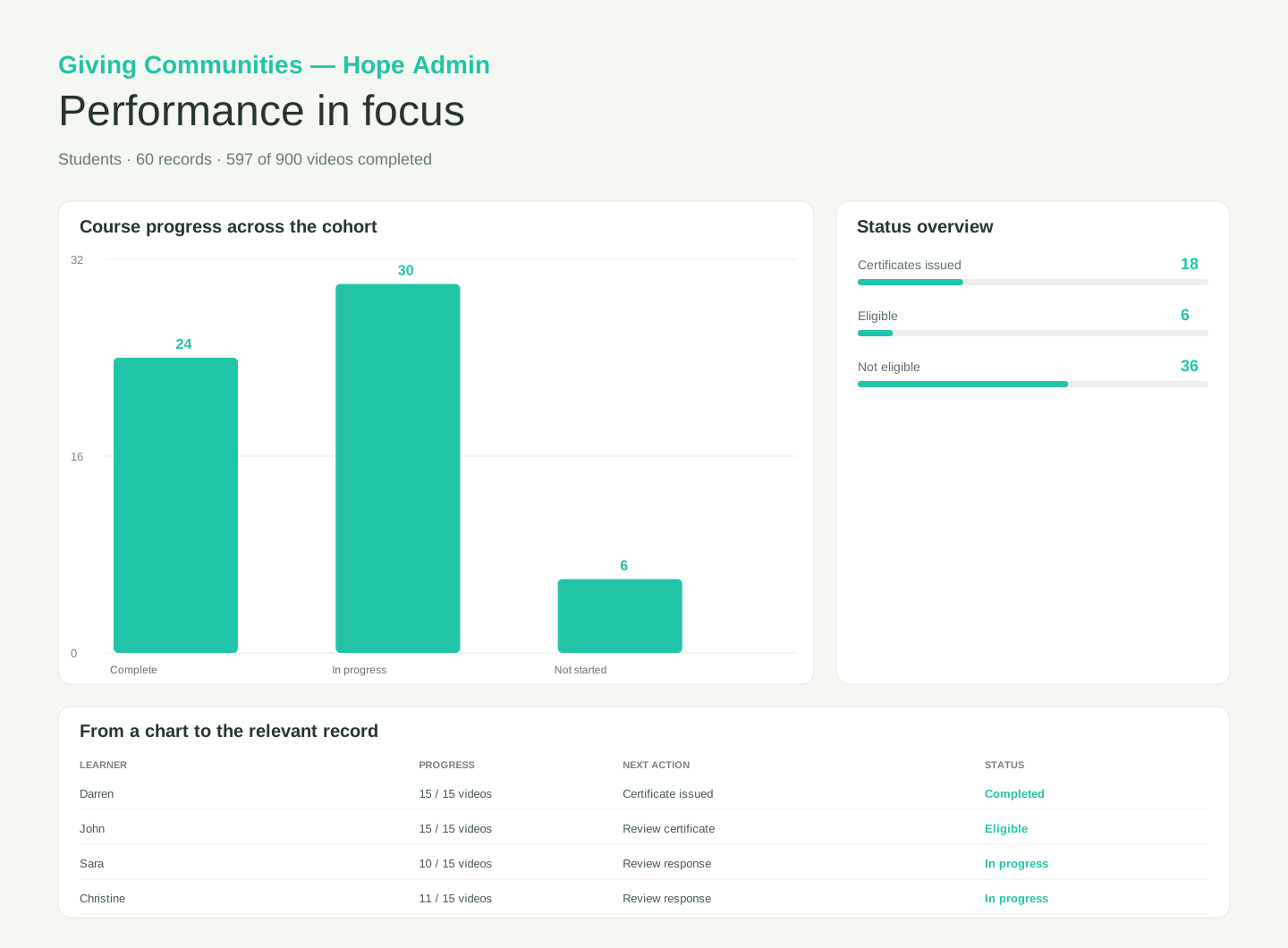
Work and next actions
Make the owner, status and next action easy to find.
15 / 15 videos · Certificate issued
Completed15 / 15 videos · Review certificate
Eligible10 / 15 videos · Review response
In progress11 / 15 videos · Review response
In progressHow it connects
A video lesson is followed by a related quiz, with progress saved to the learner’s record.
Features with a purpose
Keep the key information in context, with a clear view of the next step.
Connect the relevant record, status and responsible person.
Help the team move from an overview into the work that needs attention.
Integrations & AI
Video lesson to reviewed quiz to eligibility check to certificate; survey response to support flag to counsellor assessment
There’s more to explore
Your next possibility